Import Symbols
Using the *.kicad_sym file:
1. Extract the content of the downloaded *.zip file.
2. In KiCad, go to Preferences.
3. Click on Manage Symbol Libraries.
4. On the Global Libraries tab, click on Browse Libraries (the small folder icon)
5. Select the .kicad_sym file, then click Open.
6. The library will appear, click OK.
7. Click on Symbol Editor.
8. Type on the filter search field, and navigate to the symbol you imported. Double-click over it to open the file.
Import Footprints
Using the *.kicad_mod file:
1. Extract the content of the downloaded *.zip file.
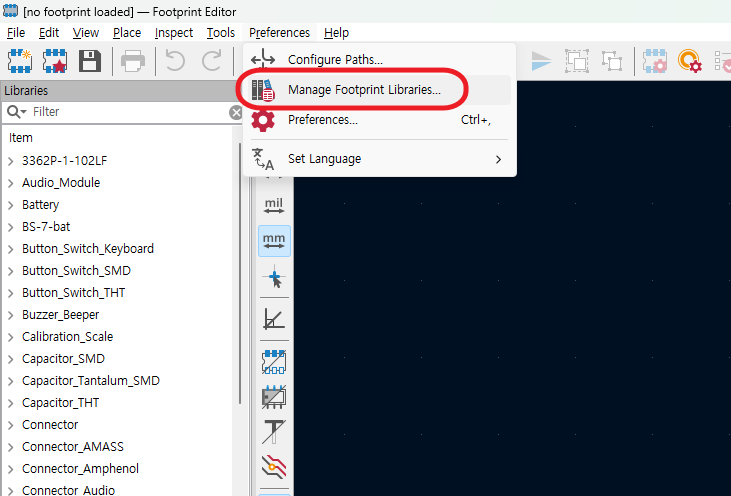
2. In KiCad, go to Preferences.
3. Click on Manage Footprint Libraries.
4. On the Global Libraries tab, click on Browse Libraries (the small folder icon)
5. Navigate to the Folder where the .kicad_mod file is located. Then click Select Folder.
Note: You will not normally see the .kicad_mod file on this step because you need to select the folder where it is located.
6. The library will appear, click OK.
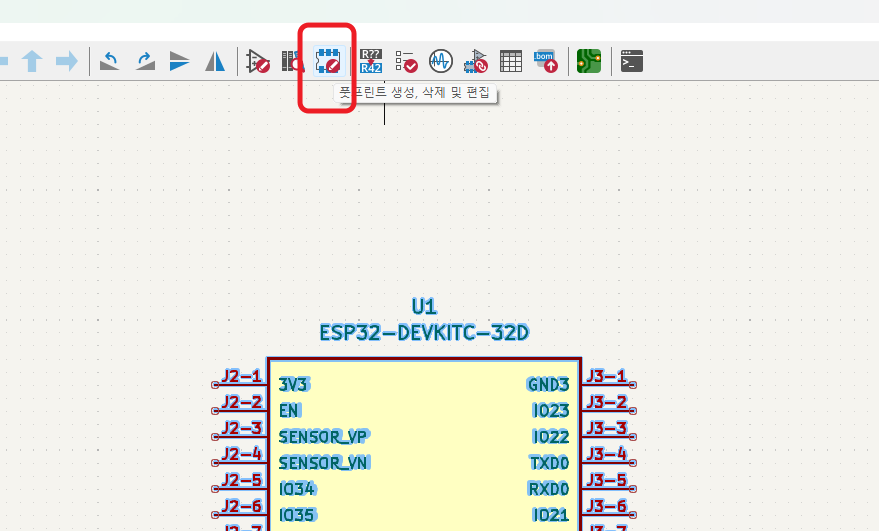
7. Click on Footprint Editor.
8. Type on the filter search field, and navigate to the footprint you imported. Double-click over it to open the file.
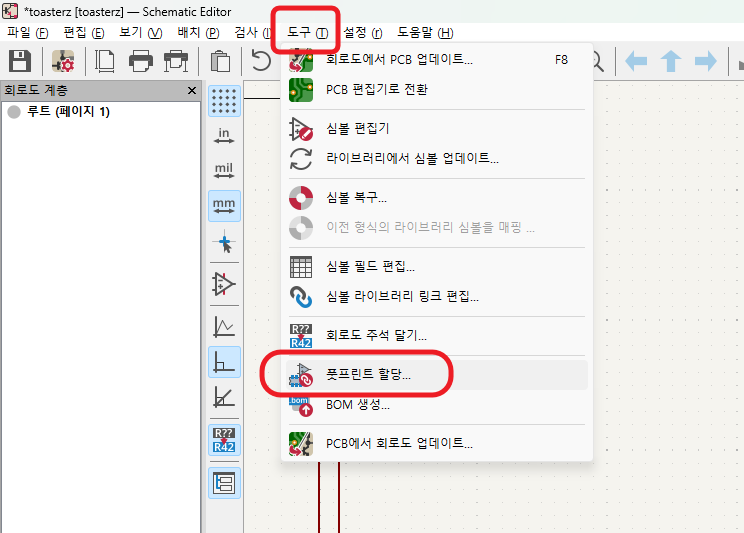
풋 프린트 임포트하기
취업, 창업의 막막함, 외주 관리, 제품 부재!
당신의 고민은 무엇입니까? 현실과 동떨어진 교육, 실패만 반복하는 외주 계약,
아이디어는 있지만 구현할 기술이 없는 막막함.
우리는 알고 있습니다. 문제의 원인은 '명확한 학습, 실전 경험과 신뢰할 수 있는 기술력의 부재'에서 시작됩니다.
이제 고민을 멈추고, 캐어랩을 만나세요!
코딩(펌웨어), 전자부품과 디지털 회로설계, PCB 설계 제작, 고객(시장/수출) 발굴과 마케팅 전략으로 당신을 지원합니다.
제품 설계의 고수는 성공이 만든 게 아니라 실패가 만듭니다. 아이디어를 양산 가능한 제품으로!
귀사의 제품을 만드세요. 교육과 개발 실적으로 신뢰할 수 있는 파트너를 확보하세요.
캐어랩