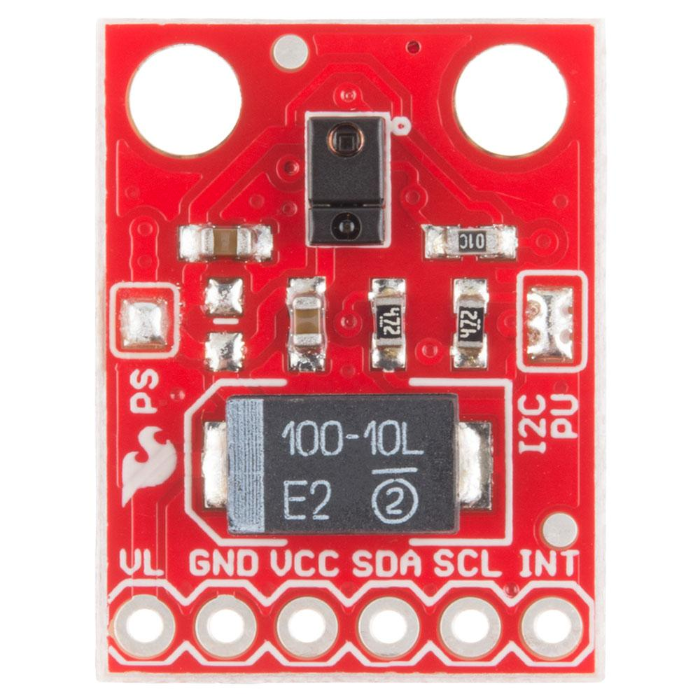
지금까지 실습한 내용이 전부가 아니라 더 많은 내용을 알아야 한다. 자료를 검토하고 찾아보니 APDS-9960에 관련된 많은 실습자료가 있다. 처음 방문한 사이트는 APDS-9960 RGB and Gesture Sensor Hookup Guide 이고 더 관심이 있다면 페이지의 맨 아래부분을 참고한다. 실습 모듈이 틀리다고 못하는 것은 아니다.
Arduino nano 33 BLE Sense 보드 모든 구성품 실습 강의
NANO 33 BLE Sense - 1. 온보드 RGB LED 실습
NANO 33 BLE Sense - 2. LSM9DS1, 9축 IMU센서 정보 활용
NANO 33 BLE Sense - 3. 기압 센서 사용해보기
NANO 33 BLE Sense - 4. 온습도 센서 HTS221 실습
NANO 33 BLE Sense - 5. 온보드 제스처 센싱 실습
NANO 33 BLE Sense - 6. 온보드 컬러 인식 RGB 센서 실습
NANO 33 BLE Sense - 7. 온보드 거리센서 실습
NANO 33 BLE Sense - 8. 더 살펴볼 것, 리소스와 더 많은 기능
센서에서 제공하는 모든 핀(인터럽트)가 그대로 nano 33 ble sense 보드에 있으니 핀 할당만 제대로 파악하면 그대로 실습하고 적용하는 것이 가능하다.
Resources and Going Further
Now that you have seen the gesture recognition capabilities of the APDS-9960, you can begin to use it in your project! Keep in mind that the APDS-9960 is also capable of sensing object proximity and ambient/color light. Try out the other examples in the SFE_APDS9960 library to see what the sensor can do:
●AmbientLightInterrupt -- This example shows how you can generate an Arduino interrupt whenever the ambient light falls below a given level. You can also change it to throw an interrupt when the light rises above a certain level.
●ColorSensor -- This demo shows how to read ambient, red, green, and blue light values from the APDS-9960.
●GestureTest -- We used this example in this hookup guide. It shows how to read basic gestures with the APDS-9960.
●ProximityInterrupt -- The APDS-9960 can be used to detect when objects move within range of its sensor. This example shows how to throw an interrupt whenever an object moves within a certain range of the sensor. You can also change the limits to generate an interrupt whenever an object moves outside of a certain range.
●ProximitySensor -- You do not need to use interrupts with the proximity sensor. In this demo, we show you how to poll the sensor for proximity data at regular intervals. Try running this example and moving your hand close to the sensor.
위 내용에 대한 실습코드가 있는 깃허브 사이트를 참고한다.
참고 자료
APDS-9960 RGB and Gesture Sensor Hookup Guide
'개발자 > Arduino' 카테고리의 다른 글
| Arduino Nano 33 IoT 개발 가이드 2 - 기본적인 예제 살펴보기 (0) | 2020.05.13 |
|---|---|
| arduino IDE에서 Serial Plotter 사용법 (0) | 2020.05.10 |
| NANO 33 BLE Sense - 1. 온보드 RGB LED 실습 (2) | 2020.05.10 |
| NANO33 BLE Sense 2 - LSM9DS1, 9축 IMU센서 실습 (0) | 2020.05.10 |
| NANO 33 BLE Sense - 7 온보드 거리센서 실습 (0) | 2020.05.10 |
| NANO 33 BLE Sense - 6 온보드 컬러 인식 RGB센서 실습 (0) | 2020.05.10 |
| NANO 33 BLE Sense - 5 온보드 제스처 센싱 실습 (0) | 2020.05.10 |
| NANO 33 BLE Sense - 4. 온습도 센서 HTS221 실습 (0) | 2020.05.10 |
취업, 창업의 막막함, 외주 관리, 제품 부재!
당신의 고민은 무엇입니까? 현실과 동떨어진 교육, 실패만 반복하는 외주 계약,
아이디어는 있지만 구현할 기술이 없는 막막함.
우리는 알고 있습니다. 문제의 원인은 '명확한 학습, 실전 경험과 신뢰할 수 있는 기술력의 부재'에서 시작됩니다.
이제 고민을 멈추고, 캐어랩을 만나세요!
코딩(펌웨어), 전자부품과 디지털 회로설계, PCB 설계 제작, 고객(시장/수출) 발굴과 마케팅 전략으로 당신을 지원합니다.
제품 설계의 고수는 성공이 만든 게 아니라 실패가 만듭니다. 아이디어를 양산 가능한 제품으로!
귀사의 제품을 만드세요. 교육과 개발 실적으로 신뢰할 수 있는 파트너를 확보하세요.
캐어랩


